

Learning how to build an AI chatbot without coding is easier in 2026 than ever: modern no-code platforms let you launch a working chatbot in an afternoon by pointing it at your website or documents and customizing its behavior in plain English, no programming required. This DigitalGeekSpot guide walks you through the process in 7 steps, compares the best no-code chatbot builders and their 2026 pricing, and flags the mistakes that make most first-time bots fail, based on current pricing pages as of September 2026.
The quick answer: pick a platform that matches your channel, Tidio for websites, ManyChat for Instagram and Messenger, Chatbase for a bot trained on your own documents, sign up for the free tier, feed it your FAQs and help docs, design a simple conversation flow, set a fallback for questions it cannot answer, test it hard, and embed it on your site. Total cost to start: $0. Total time: a few hours.
Quick Answer: The 7 Steps to a No-Code AI Chatbot
- Define the chatbot’s one main job (support, lead capture, or sales).
- Choose a no-code platform that fits your channel and budget.
- Train the bot on your content, FAQs, docs, or your website.
- Design a simple conversation flow with clear paths.
- Set its personality, tone, and fallback behavior.
- Test it like a skeptic, including questions it should not answer.
- Deploy it, then review conversations weekly and improve.
No-Code Chatbot Platforms at a Glance
| Platform | Best For | Free Plan | Paid From |
|---|---|---|---|
| Tidio | Website chat + AI agent | 50 AI conversations/mo | ~$24/mo (Lyro AI add-on ~$33/mo) |
| Chatbase | Bot trained on your docs | 50 message credits/mo | $40/mo ($32/mo annual) |
| ManyChat | Instagram, Messenger, WhatsApp | Up to 25 contacts | ~$14–15/mo |
| Landbot | Visual flows, lead generation | Sandbox: 100 chats/mo | ~€40/mo (€32/mo annual) |
| Chatfuel | Social DM automation | Limited free tier | Plans from ~$0–69/mo |
| Botpress | Advanced, open-source option | 100 conversations/mo | Cloud from $150/mo |
Pricing as of September 2026; chatbot plans are usually metered by conversations, contacts, or credits, confirm current plans on each official site.
Step 1: Define Your Chatbot’s Job
Every failed chatbot project starts the same way: someone builds a bot that tries to do everything. Before touching any platform, write down the single most valuable job your chatbot will do. The three jobs that work best for no-code bots are customer support (answering repeat questions from your help docs), lead capture (qualifying visitors and collecting contact details), and sales assistance (recommending products and booking calls).
Pick one primary job: a support bot trained on your FAQ will outperform a vague “general assistant” bot every time. Note the distinction: a chatbot answers questions from your content, while an AI agent can take multi-step actions on its own, most small businesses need the former, not the latter. Write your bot’s job in one sentence, e.g. “Answer common shipping and returns questions so customers don’t email us”, and use it as your north star.
Step 2: Choose Your No-Code Platform

Your channel decides your platform more than any feature list:
Tidio: best for websites
Tidio is the easiest starting point if your chatbot will live on your website. It combines live chat, a visual flow builder, and Lyro, its AI agent that answers from your help content, with strong Shopify and WordPress integrations. The free plan includes 50 AI conversations a month, which is genuinely enough for a small site to validate the concept. Paid plans start around $24/month, with the Lyro AI add-on around $33/month. Choose Tidio if your customers reach you through your website.
Chatbase: best for training on your documents
Chatbase has the fastest path from “pile of documents” to “working AI bot.” Upload PDFs, paste text, or point it at your website URLs, and it builds a GPT-powered chatbot grounded in your content within minutes. The free tier includes 50 message credits a month, enough to test, with the Hobby plan at $40/month ($32/month billed annually). Choose Chatbase if your main asset is documentation you want customers to query conversationally.
ManyChat: best for Instagram and Messenger
If your audience lives on social media, ManyChat is the standard. It automates Instagram DMs, Facebook Messenger, and WhatsApp with keyword triggers and visual flows, think comment-to-DM automation, lead magnets, and cart follow-ups. The free plan covers up to 25 contacts, with paid plans from around $14–15/month scaling by contact count. Choose ManyChat if your leads come from social DMs rather than your website.
Landbot: best for visual lead-generation flows
Landbot shines when the chatbot is a conversational landing page, a guided flow that qualifies leads or books appointments. Its drag-and-drop builder is among the most intuitive, and the free Sandbox plan (100 chats/month) lets you prototype properly. Paid plans start around €40/month. Choose Landbot for conversion-focused website flows over open-ended AI chat.
Decision shortcut: website support → Tidio; document Q&A → Chatbase; social DMs → ManyChat; lead-gen flows → Landbot. You can migrate later, getting a simple bot live this week beats researching platforms for a month.
Step 3: Train the Bot on Your Content
This is the step that determines whether your bot is useful or embarrassing. AI chatbots are only as good as the content behind them. Gather your best source material: your FAQ page, support articles, product documentation, shipping and returns policies, pricing pages, and the ten questions your team answers over and over. The more specific and current this content is, the better the bot’s answers.
Most platforms accept the same inputs: website URLs to crawl, PDF or Word uploads, pasted text, and sometimes Notion pages or help-center integrations. On Chatbase-style platforms this training step is the build, upload good content and you are most of the way there. On flow-based platforms like ManyChat or Landbot, your content informs the answers you write into each flow step. Resist the urge to upload everything: focused, up-to-date documents beat a sprawling archive of outdated pages. Remove discontinued products, old pricing, and stale policies before training, the bot will happily quote them otherwise.
Step 4: Design the Conversation Flow
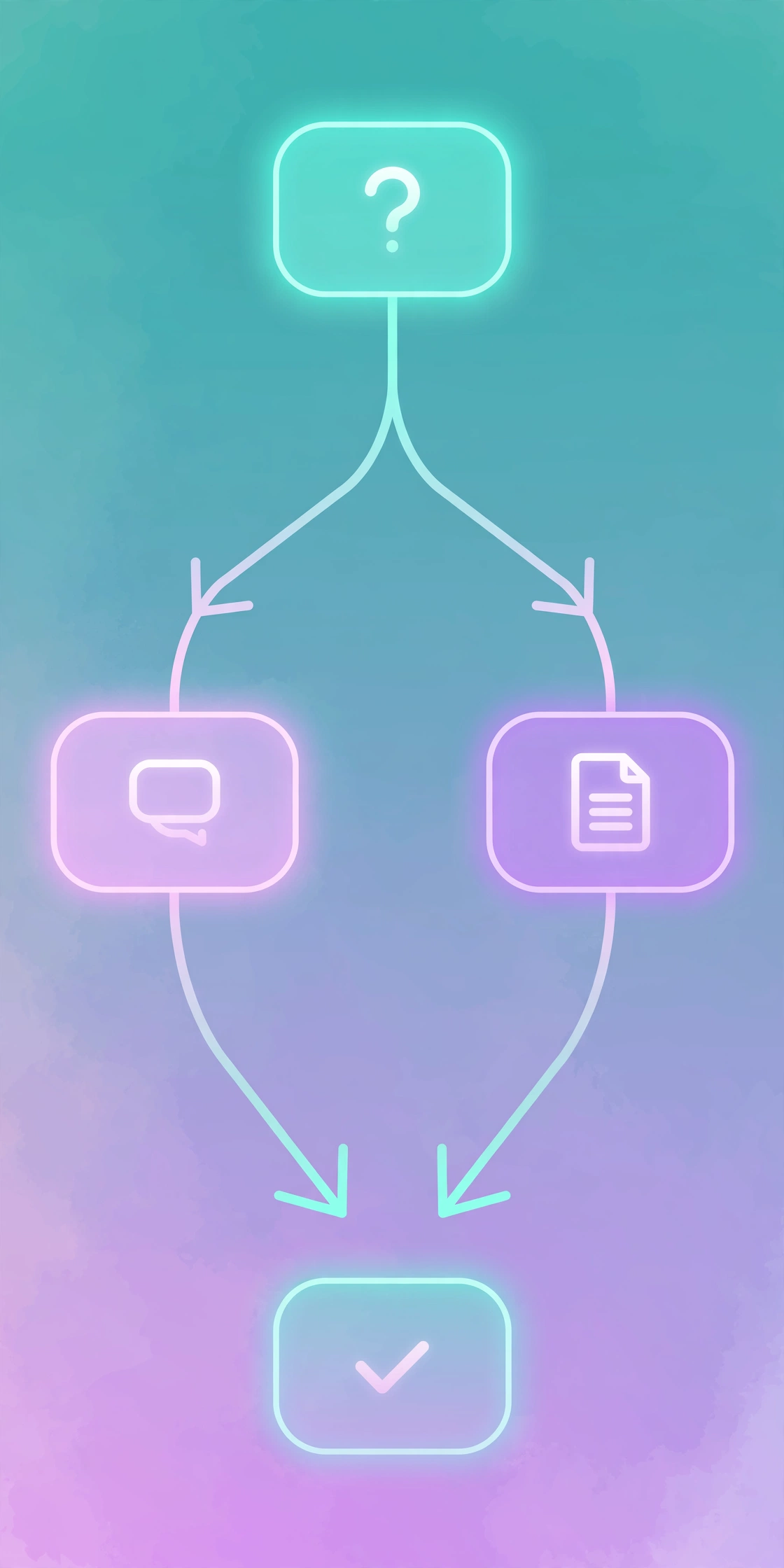
Even AI-powered bots benefit from a designed flow. Map the three to five paths visitors actually take, “track my order,” “return an item,” “ask about pricing,” “talk to a human”, and define each path’s opening question, needed info, and successful ending.
Keep flows shallow, two to four steps beats ten. Use buttons and quick replies instead of open-ended typing; they guide users and improve completion rates. And always include an obvious escape hatch: a “talk to a human” option in every flow. Nothing destroys trust faster than a bot that traps a frustrated customer with no way out. If your content needs better source material, our best AI writing tools roundup can help you draft clearer FAQs and help articles to train on.
Step 5: Set Personality, Tone, and Fallbacks
Give your bot a name, role, and tone in plain language, e.g. “You are a friendly support assistant for a handmade soap store. Be concise, warm, and never invent discount codes.” This one paragraph shapes every answer; match the tone to your brand.
The fallback matters even more: decide what the bot says when it doesn’t know, e.g. “I’m not sure about that; I’ve passed your question to our team.” A graceful fallback beats a confident hallucination every time. Also set topic boundaries: tell the bot which subjects are off-limits (legal advice, medical claims, competitor comparisons) so it declines instead of improvising.
Step 6: Test Like a Skeptic
Before publishing, interrogate your bot. Ask what your content covers, phrased like real customers phrase it, typos and all. Then ask what it should not answer: competitors, off-topic subjects, recent changes. Every hallucination you catch in testing is a customer complaint avoided.
Test unhappy paths too: trigger the fallback, click “talk to a human” everywhere, try unexpected inputs. Then have two colleagues use it unguided, their confusion is your redesign list. Publish only when it handles your top twenty real questions and fails gracefully otherwise.
Step 7: Deploy and Keep Improving
Deployment is usually one embed snippet in your site header (or a plugin), a Messenger/Instagram connection, or a shareable link. Soft-launch on one high-traffic page and watch the first hundred conversations closely.
Good bots separate from abandoned ones after launch. Review transcripts weekly: every unanswered question is a training gap (add content) or flow gap (add a path). Update training content whenever your business changes, a bot on last year’s catalog is worse than no bot. Connect the bot’s captured leads to your email list or CRM; our guide to automate tasks with Zapier shows how to wire those handoffs without code.
How Much Does a No-Code Chatbot Cost?
| Platform | Free Tier | Entry Paid | What You Get at Entry |
|---|---|---|---|
| Tidio | 50 AI conversations/mo | ~$24/mo + Lyro ~$33/mo | More conversations, AI agent, integrations |
| Chatbase | 50 message credits/mo | $40/mo ($32 annual) | More messages, more bots, remove branding |
| ManyChat | 25 contacts | ~$14–15/mo | More contacts, advanced automation |
| Landbot | 100 chats/mo (Sandbox) | ~€40/mo | More chats, integrations, branding removal |
Realistic budgets: validation costs $0 on free tiers; a small business with real volume typically pays $25–75/month. Costs scale with conversations, contacts, or credits, estimate monthly chat volume before choosing. Many chatbot builders sit alongside other best free AI tools with generous free tiers, so start free everywhere and pay only where volume demands it.
Common Mistakes to Avoid
- Training on stale content. Outdated prices, discontinued products, and old pricing become confident wrong answers. Audit training content quarterly.
- No human escape hatch. Always offer “talk to a human.” Trapped customers do not convert, they leave angry reviews.
- Flows that are too deep. If it takes eight steps to get an answer, visitors will email you instead. Keep paths to two to four steps.
- Letting the bot improvise on sensitive topics. Set explicit boundaries for legal, medical, financial, or competitor questions.
- Launching and ignoring it. Unreviewed bots decay as your business changes. Schedule a weekly 15-minute transcript review.
- Choosing by feature list instead of channel. The best platform is the one where your customers already are, website, Instagram, or WhatsApp.
Related Articles
Keep exploring AI productivity on DigitalGeekSpot:
- Best Free AI Tools (2026): Zero-Cost AI That Actually Works
- Automate Tasks with Zapier (2026 Guide)
- What Are AI Agents? A Beginner’s Guide (2026)
- Best AI Writing Tools (2026): Top Picks for Every Budget
Frequently Asked Questions
Can I really build an AI chatbot with no coding?
Yes. Platforms like Tidio, Chatbase, ManyChat, and Landbot are built for non-technical users: you configure everything through visual builders and plain-English settings. The most “technical” step is pasting an embed snippet into your website, and most platforms offer plugins that do it for you.
How long does it take to build a chatbot without coding?
A simple FAQ bot can go live in 2–4 hours: sign up, upload your content, set the tone and fallback, test, and embed. A polished lead-generation flow with multiple paths takes a few days of iteration. Budget ongoing time too, weekly transcript reviews are what keep a bot useful.
How much does a no-code AI chatbot cost?
Starting out: $0, using free tiers (Tidio’s 50 conversations/month, Chatbase’s 50 message credits, ManyChat’s 25 contacts). A small business with real volume typically pays $25–75/month once free limits are exceeded. Enterprise-grade platforms scale into the hundreds.
Will an AI chatbot replace my support team?
No, it deflects repetitive questions so your team handles the complex ones. Expect a well-trained bot to resolve 30–50% of routine inquiries; the rest still need humans. Always include a handoff path rather than trapping customers.
What is the difference between a chatbot and an AI agent?
A chatbot answers questions and follows designed conversation flows, usually grounded in your content. An AI agent can take multi-step actions independently, booking, ordering, updating records. Most no-code platforms build chatbots; true agents need more setup. See our guide on what AI agents are for the full distinction.
Final Verdict
For website audiences, start with Tidio’s free plan, the fastest path from zero to a live bot, with 50 free AI conversations a month to prove the concept. If your strength is documentation, Chatbase turns your existing content into a working bot in under an hour. Social-first businesses should start with ManyChat. Whichever you choose, remember the formula that actually works: one clear job, focused training content, shallow flows, a graceful fallback, and weekly reviews. Do that, and your no-code chatbot will quietly become one of the hardest-working members of your team.
Platform pricing and free-tier limits verified September 2026 from vendor pricing pages and independent comparisons. Chatbot platforms change pricing and metering frequently, confirm current plans on each official site before committing.




1 Comment